 Kitebill
Designer invoice template (revisions, usage rights, deposits)
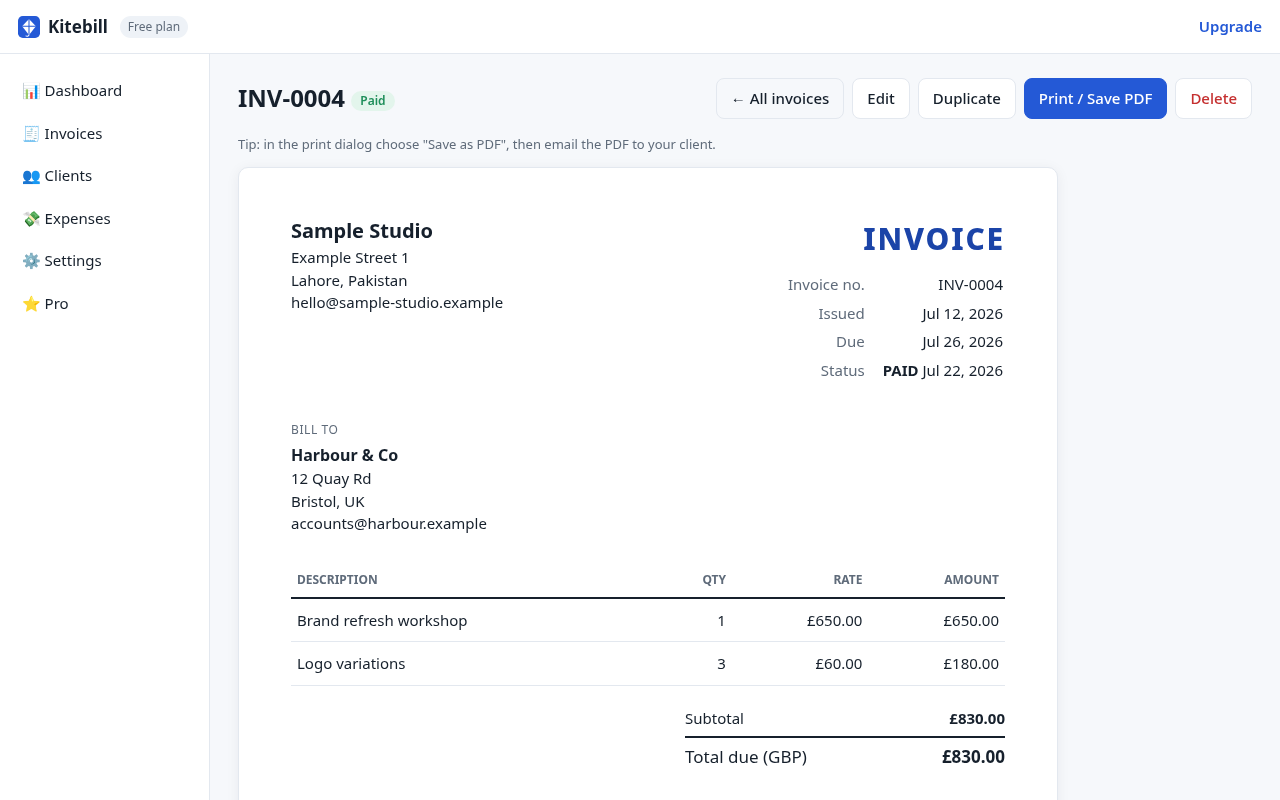
Design work stalls when the invoice is vague. This designer invoice template covers deposits, revision rounds, usage rights and delivery formats so accounts teams approve without a follow-up email.
Fields every designer invoice needs
- Project name matching the proposal ("Brand refresh — Acme Q4").
- Scope summary in the Notes: deliverables, rounds of revisions included, file formats (AI, Figma, PNG, PDF).
- Usage rights: "Unlimited commercial use after final payment" or "Social + web only; print licensing separate" — whatever you agreed.
- Deposit vs balance as separate invoices or clearly labelled lines.
- Payment method that matches how the client already pays freelancers.
Example line items
| Phase | Example |
|---|---|
| Discovery | Kickoff workshop (half day) · Competitive moodboard |
| Concepts | Logo concepts — round 1 (3 directions) · Round 2 refinements (included) |
| Production | Brand guidelines PDF · Social avatar pack · Business card layout |
| Extras | Additional revision round · Rush fee (48h) · Print-ready packaging die-line |
Revisions and kill fees
- Included rounds: write "2 revision rounds included" on the invoice Notes so "one more tweak" does not become infinite unpaid work.
- Extra rounds: bill as a separate line at your hourly rate or a fixed add-on.
- Kill fee: if the project is cancelled after concepts, invoice the agreed kill fee (often 30–50% of the total) with a short note referencing the contract clause.
When clients are abroad
Invoice in the currency in the proposal. Add bilingual Arabic or Urdu labels if finance teams prefer them. Track platform fees in the app so your income report is honest.
Portfolio vs invoice (keep them separate)
Your portfolio shows selected work. Your invoice is a payment request. Do not paste a case-study essay into the Notes field. Keep Notes to scope, revisions, rights and payment terms. If the client wants process documentation, send a separate PDF.
Common rejection reasons
- Missing legal company name (billing to a brand nickname).
- No PO or job number when the client uses purchase orders.
- Currency mismatch with the signed proposal.
- Vague lines like "Design services" with no deliverable list.
Create the invoice
Use the free generator for a one-off PDF, or the Kitebill app to store the client, logo (Pro) and next invoice number. Free for 3 clients / 10 invoices; Pro US$29 once.
Questions
Should usage rights appear on the invoice?
Yes, briefly. A one-line note prevents arguments later. Keep the full license text in your contract or a separate PDF.
Do I need to show hours if I quoted a fixed price?
No. Fixed-price invoices list deliverables and amounts. Hourly breakdowns are for T&M work.
Can I put my logo on the invoice?
Yes, with Kitebill Pro, which also removes the small "Created with Kitebill" credit line that free-plan invoices carry.