 Kitebill
Client management for freelancers (list, currency, CSV)
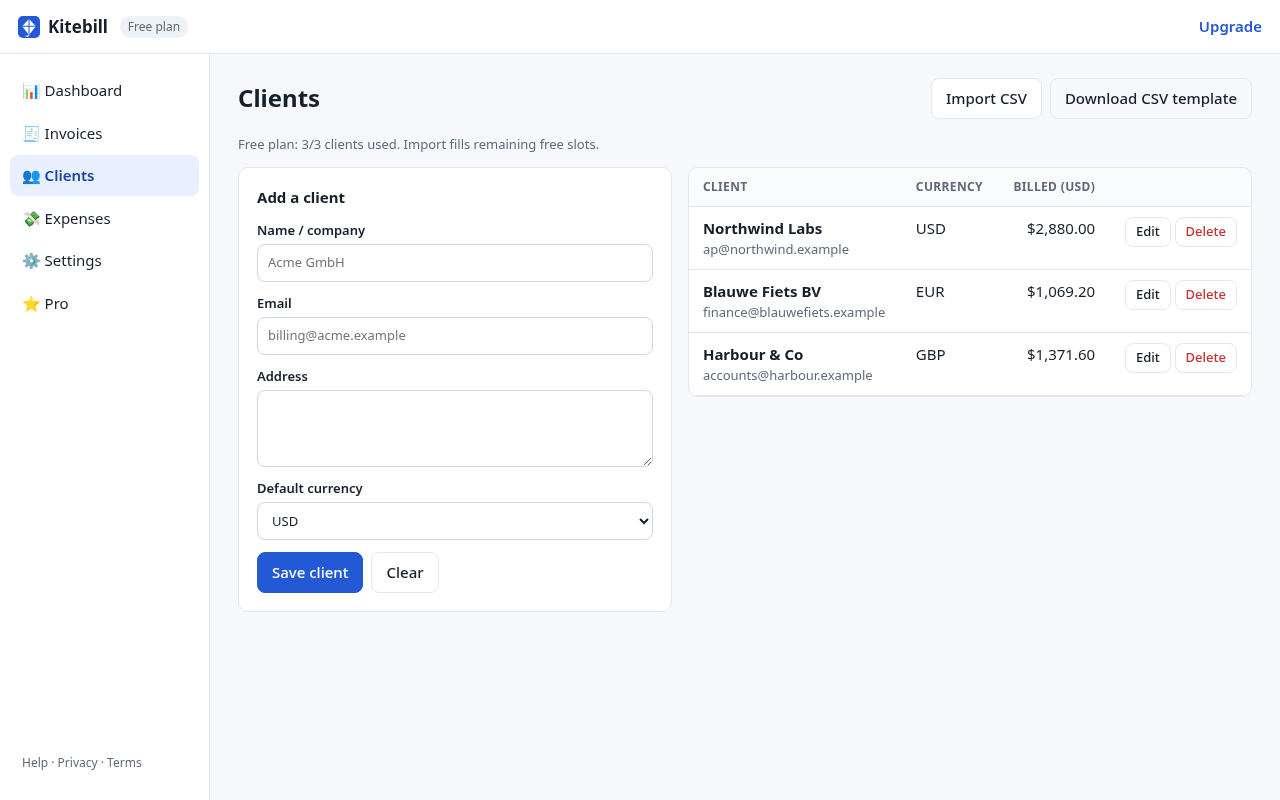
Kitebill's 'client management' is a local list: name, email, address, default currency, and how much you have billed them. It is not a CRM with pipelines and email sequences.
What a client record holds
- Name (the billing name you put on invoices)
- Address
- Default currency (new invoices start in that currency)
- Billed total in your base currency (from non-draft invoices)
There is no Notes field on the client, no tags, no next-follow-up date, no pipeline stage. Follow-ups live in your mail. If you need a dedicated CRM spreadsheet, that is a different product (our Etsy P5 is separate and not linked from this site).
CSV import
On the Clients screen, download the template, fill Name, Email, Address, Currency, and import.
- Matching email updates that client; new emails are added.
- Free plan: import stops when you hit 3 clients.
- Pro: no client cap, so import can be as large as you like.
Free limits
| Free | Pro (US$29 once) | |
|---|---|---|
| Clients | 3 | Unlimited |
| Invoices | 10 | Unlimited |
| CSV import | Up to 3 clients | Unlimited |
| Where data lives | This browser | This browser (same) |
Privacy
Client names never go to our servers. There is no cloud address book. That is the point of privacy-first invoicing. Clearing site data deletes the list — use Settings → Export backup. Sharing a computer: use a separate browser profile, or do not store clients here.
Generator vs app
/generate does not save clients (and does not use localStorage at all). Use it when you want one PDF for someone you may never bill again. Use the app when you will invoice them next month.
Start
Open the app → Clients → add or import. Then New invoice. Or skip the list and print one PDF now.
Questions
Is this a CRM?
No. It is a billing list. No deals, tasks, or email tracking.
Can two devices share clients?
Not live. Export a backup on one, import on the other. Pro keys can be entered in each browser you personally use.
Do you sync with Google Contacts?
No.