 Kitebill
PDF invoice generator (print from your browser)
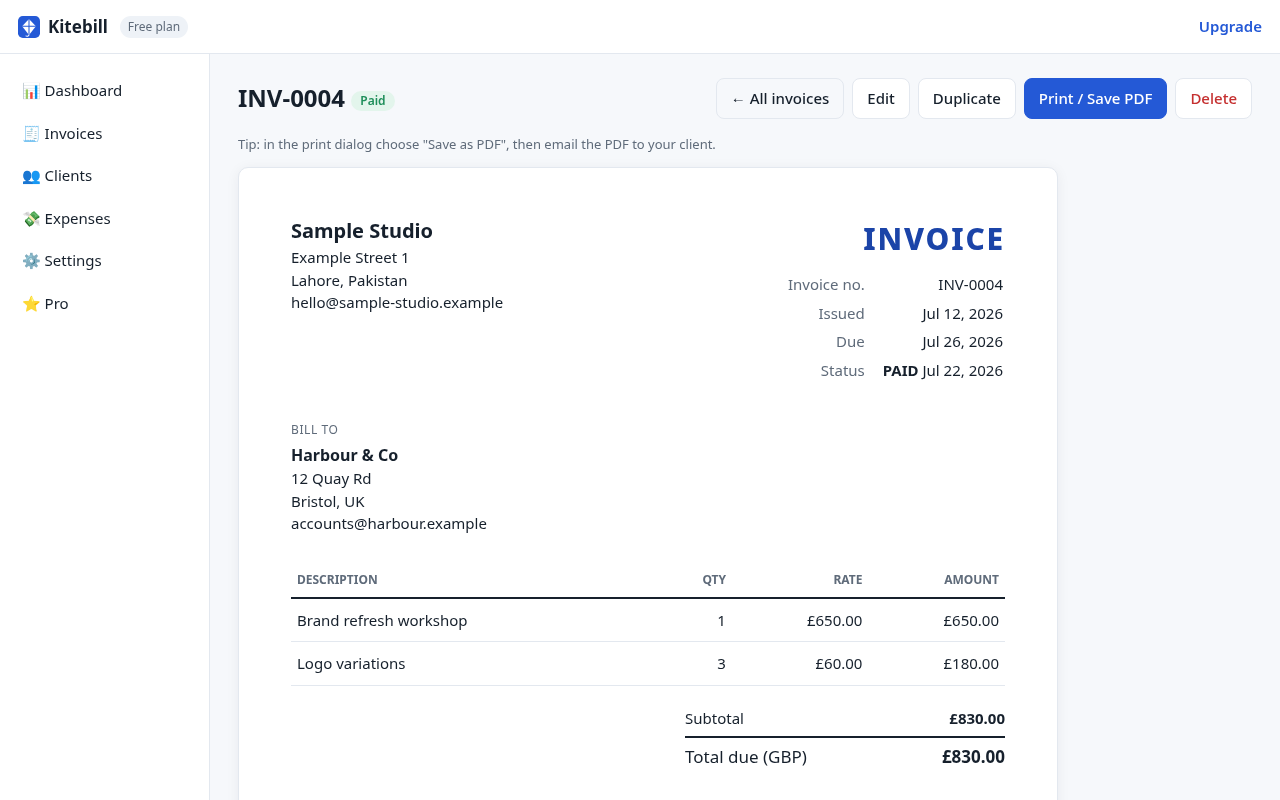
Kitebill makes a PDF the same way most freelancers already do: the browser's Print dialog → Save as PDF. There is no separate "export engine" and nothing is uploaded to us.
How the PDF is actually created
- Fill the invoice in /generate or open one in the app.
- Click Print / Save as PDF.
- In your browser's print dialog, choose Save as PDF (Chrome, Edge, Firefox, Safari all offer this). Turn off "Headers and footers" so the filename/URL is not stamped on every page.
That file is a normal PDF on your device. Email it from Gmail, Outlook, or wherever you already talk to the client. We never see it.
What this is — and is not
| Kitebill | Typical "PDF invoice API" | |
|---|---|---|
| Where the PDF is built | Your browser, on your device | A server you upload data to |
| Account | None | Usually required |
| e-invoice XML (ZATCA, PEPPOL, FatturaPA) | No — visual PDF only | Sometimes, if they support your country |
| Email from inside the app | No — you send the file | Often yes |
| Works offline after first load | Yes (see offline generator) | Usually no |
Quality tips for a clean PDF
- Use A4 or Letter in the print dialog to match what the client expects.
- Background graphics: leave on so colours and the layout print.
- Margins: default is fine; do not scale down to 80% or the text looks cheap.
- Logo: Pro lets you add a logo in the app; the free generator is text-based.
- Arabic / Urdu labels: pick English + Arabic or English + Urdu before printing. Free.
If you need a real e-invoice
Several countries require structured e-invoices (XML/JSON through a government gateway), not just a PDF that looks like an invoice. Saudi Phase 2, UAE e-invoicing, Indian e-invoicing under GST, PEPPOL, and similar regimes are out of scope. Kitebill will not pretend otherwise. Use the official portal or compliant software if you are in those regimes. Our country pages (Saudi, UAE, India) spell that out.
Generator vs app
/generate is one-shot: close the tab and the form is gone (it stores nothing). The app keeps clients and invoice numbers in this browser, tracks sent/paid/overdue, and still prints with the same Print → PDF path. Start with whichever matches today's job.
Start
Open the free PDF invoice generator · Open the app · Pro US$29 once for logo, expenses, CSV export and unlimited records.
Questions
Is there a download button that hits your servers?
No. Print / Save as PDF is the browser's own print pipeline. We do not generate the file on a server.
Can I get a PDF/A or password-protected PDF?
Only if your OS print driver offers it. We do not add PDF/A or encryption ourselves.
Will the PDF include a 'Created with Kitebill' line?
On the free plan, yes. Pro removes that credit line in the app. The generator always shows the free credit line.