 Kitebill
How buying Kitebill Pro works
Pro is a single US$29 payment through Paddle, our Merchant of Record. You don't create an account, your invoices are never uploaded, and you can get a full refund within 30 days. Here is every step, with real screenshots.
The five steps
Screenshots are from our live checkout on 28 September 2026, taken during a zero-value test order we made with a 100% test discount (archived since). The email address and license key are hidden.
- On the pricing page, tick the Terms box and click Buy Pro. Paddle's secure checkout opens on top of the page.
- Enter your email and country (some countries also ask for a postcode). The email is where Paddle sends your receipt, and it's what you use to recover your key.
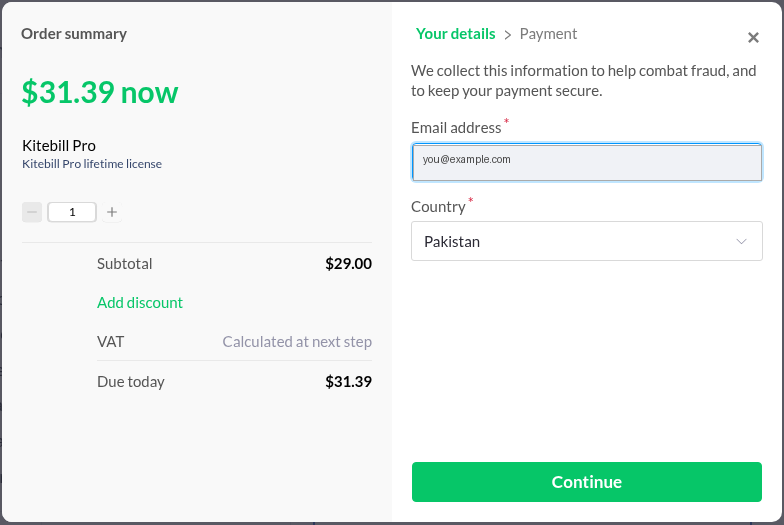
The first step can show an estimate that includes US sales tax (US$31.39 here) until you press Continue. With Pakistan selected, the total then changed to US$29.00. - Pay with PayPal or a card.
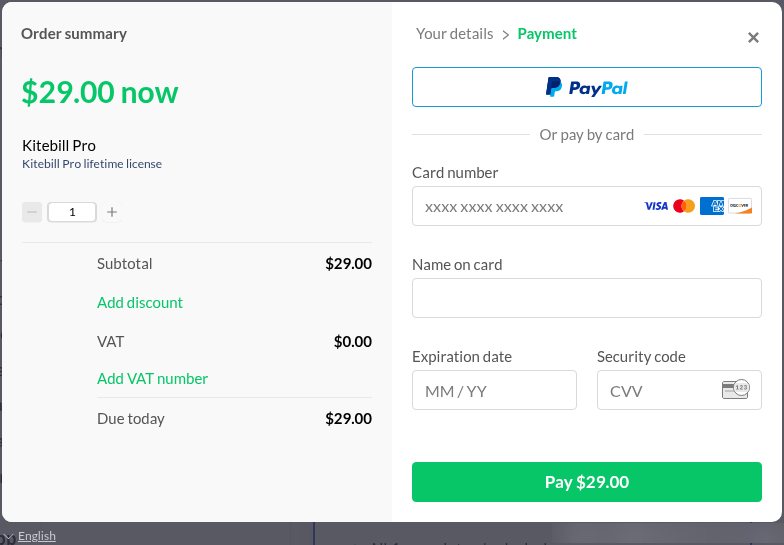
Payment step for a buyer in Pakistan: US$29.00 due, VAT US$0.00, PayPal or card (Visa, Mastercard, American Express, Discover). - Your license key appears on the thank-you page right away, with an Activate in this browser button. Copy the key somewhere safe. Paddle emails your receipt, which includes the invoice number.
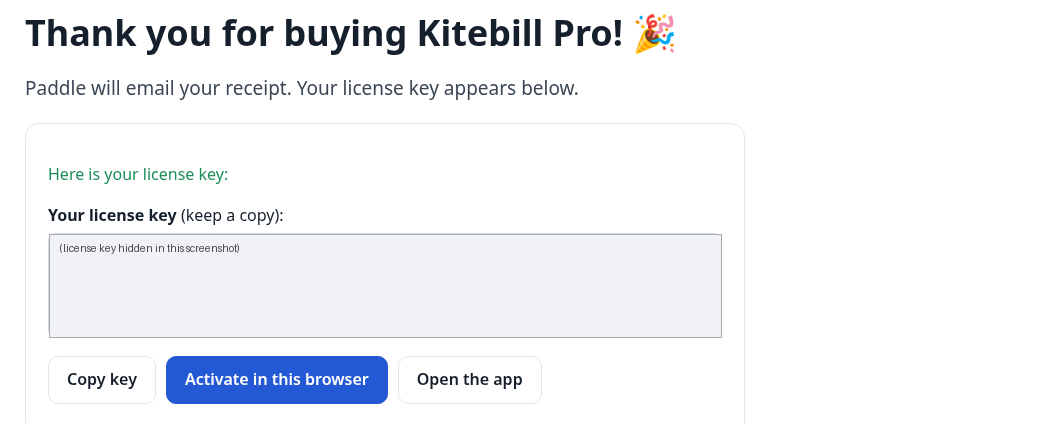
Thank-you page. The real key starts with KB1.(hidden here). - Open the app: the badge says Pro and the limits are gone. Your existing clients and invoices are untouched.
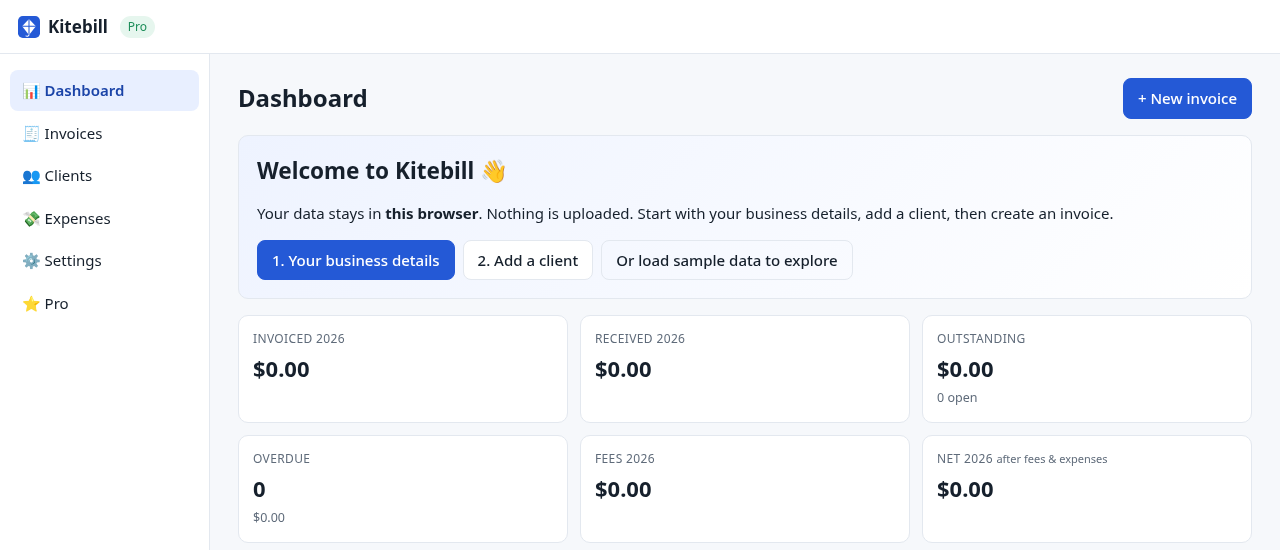
The app after activation: Pro badge at the top left.
What you pay, by country
Checkout is in US dollars. In every country we checked outside the US, the US$29 already includes any VAT or GST. In the United States, sales tax is added on top for some ZIP codes. These totals come from Paddle's pricing preview for our Pro price, checked 2026-10-06. Paddle decides the tax and the payment methods, so your checkout screen is the final word.
| Country | Total at checkout | Payment methods offered |
|---|---|---|
| Pakistan | US$29.00 total, no tax added | Card, PayPal, Apple Pay |
| United Arab Emirates | US$29.00 total, VAT included (US$1.38) | Card, PayPal, Apple Pay |
| Saudi Arabia | US$29.00 total, VAT included (US$3.78) | Card, PayPal, Apple Pay |
| India | US$29.00 total, tax included (US$4.42) | Card, PayPal |
| United Kingdom | US$29.00 total, VAT included (US$4.83) | Card, PayPal, Apple Pay |
| Germany | US$29.00 total, VAT included (US$4.63) | Card, PayPal, Apple Pay |
| United States | US$29.00 plus state sales tax where it applies (for example US$31.57 for ZIP 10001 New York, US$29.00 for ZIP 94105 San Francisco) | Card, PayPal, Apple Pay |
Apple Pay shows only on supported devices and browsers.
Paying from Pakistan or the Gulf
- In rupees or dirhams? No: you're charged US dollars. Your bank, card issuer or PayPal converts at its own rate and may add a foreign-transaction fee. We don't print a PKR or AED figure because it would be a guess.
- Card declined? Try PayPal, or ask your bank to enable international online payments on the card.
What your receipt and statement say
- Receipt: an email from Paddle (help@paddle.com) titled "Your receipt from PrimePulseQ", with the product listed as Kitebill Pro. PrimePulseQ is the name our Paddle seller account was registered under. That's us. The checkout footer mentions the same name.
- Card statement: Paddle charges show as
PADDLE.NET*followed by a short seller name (up to 10 characters). PayPal payments show asPAYPAL *PADDLE.NET. Source: Paddle help centre. - Keep the receipt. Its invoice number plus your email recovers your key.
Your license key
- It's a personal key for one person, with no device limit for your own browsers. Paste it under Pro → Enter your license key in each browser you use.
- The app checks the key on your device, so Pro works offline and doesn't phone home.
- Lost it? Use the recovery page (email + Paddle invoice number), or write to mtabarca24@gmail.com.
Refunds
You get a full refund within 30 days, no questions asked. Use the link in your Paddle receipt, look up the order at paddle.net, or email us. After a refund the Pro license ends and the app goes back to the free plan. Your invoices stay in your browser either way. Full details: Refund Policy.
What if Kitebill went away?
Your invoices are stored in your browser, and the Pro key is checked on your device, not on our server, so the data and the Pro license you already have don't depend on us staying online. Once you've opened the app, your browser keeps a copy for offline use, but browsers can clear that copy, so export a backup from Settings → Export backup regularly (and CSV exports on Pro). We have no plans to stop. We can't promise "forever", so we'd rather tell you exactly how your data is protected.
Still unsure?
Read who makes Kitebill, compare Free and Pro, or email mtabarca24@gmail.com. We reply within 2 business days.